Setting up Tabby Card in your store
How it works
Tabby Card works just like a regular card transaction.
- Customer selects items in-store
- At checkout, they tap their digital Tabby Card on the POS machine
- Payment is processed as a card payment
- You get paid as you usually would, and the shopper pays Tabby in 4 payments
- Tabby handles all the payments, risk and customer management—you receive the full amount upfront minus your merchant fee.
How to set up Tabby Card in your store
Getting started with Tabby Card can be done in a few minutes:
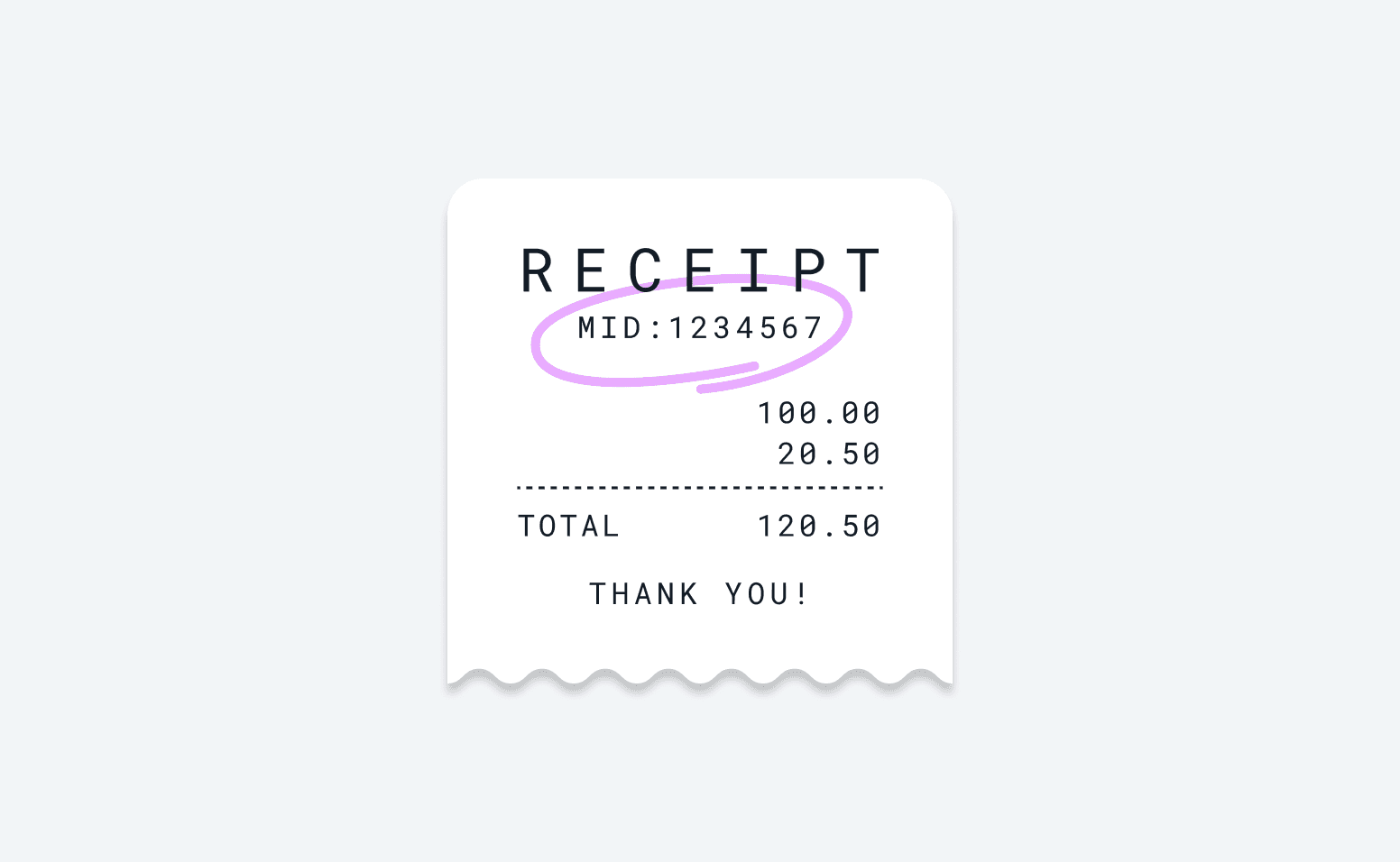
1. Find your Merchant ID (MID)
Find the MID number related to your POS machine at the top of a printed receipt
Find the MID number related to your POS machine at the top of a printed receipt
2. Add your MID to your store
Share your MID and store details with us
Share your MID and store details with us
3. Wait for review
Our team will review the submission and get you set up
Our team will review the submission and get you set up
4. You're ready to go
Your POS is now enabled to accept Tabby Card payments
Your POS is now enabled to accept Tabby Card payments
Key details
- Tabby Card works with any POS terminal, as long as it accepts VISA
- You’ll see payments processed normally on your POS, and can also view all transactions in your Merchant Dashboard
- There’s no additional setup cost for Tabby Card – you only pay your usual Tabby merchant fee
- Tabby Card transactions are settled differently from regular Tabby payouts. Payments made using the Tabby Card are processed through your POS provider, just like any normal Visa transaction. At the end of each month, we send you an invoice for the Tabby Card fees, and you can settle that amount via bank transfer.
- Tabby Card is currently only accepted in the UAE
- If you have multiple store locations, make sure to add the MID for each store accordingly to ensure correct setup
Learn more about how Tabby Card works.